Documentation Index
Fetch the complete documentation index at: https://modelcontextprotocol.io/llms.txt Use this file to discover all available pages before exploring further.
Web client
A tab-by-tab walkthrough of the graphical MCP Inspector
The web client is the Inspector’s richest surface: a single-page app backed by a small Node server that owns the actual MCP connections. It is the default mode, so npx @modelcontextprotocol/inspector with no mode flag lands here.
npx @modelcontextprotocol/inspector                       # empty, add servers in the UI
npx @modelcontextprotocol/inspector node build/index.js   # with an ad-hoc stdio server
npx @modelcontextprotocol/inspector --catalog ./mcp.json  # with a catalog file
The session token
The Node server behind the web client guards every /api/* route with a per-launch token, because it can spawn processes on your machine. The launcher prints a URL containing that token: open that URL, and don’t type localhost:6274 from memory.
The browser recovers the token from three places, in priority order:
window.__INSPECTOR_API_TOKEN__, injected intoindex.htmlon every page load. This is what makes a bare-URL reload or a bookmark keep working.- A
?MCP_INSPECTOR_API_TOKEN=...query string, the form used in that printed URL. sessionStorage, as a backstop.
Set the MCP_INSPECTOR_API_TOKEN environment variable to pin a known token (useful for scripted launches), or set DANGEROUSLY_OMIT_AUTH=true to disable the check entirely, but only on a machine where nothing else can reach the port. Both are described under Web backend environment variables.
Dev mode
--dev is a web-only flag. It runs the Vite dev server instead of serving the pre-built bundle, which matters if you’re working on the Inspector itself:
mcp-inspector --web --devProduction --web serves a built bundle. In the published package that bundle always ships; in a fresh source checkout it doesn’t, so the runner builds it on demand the first time you launch.
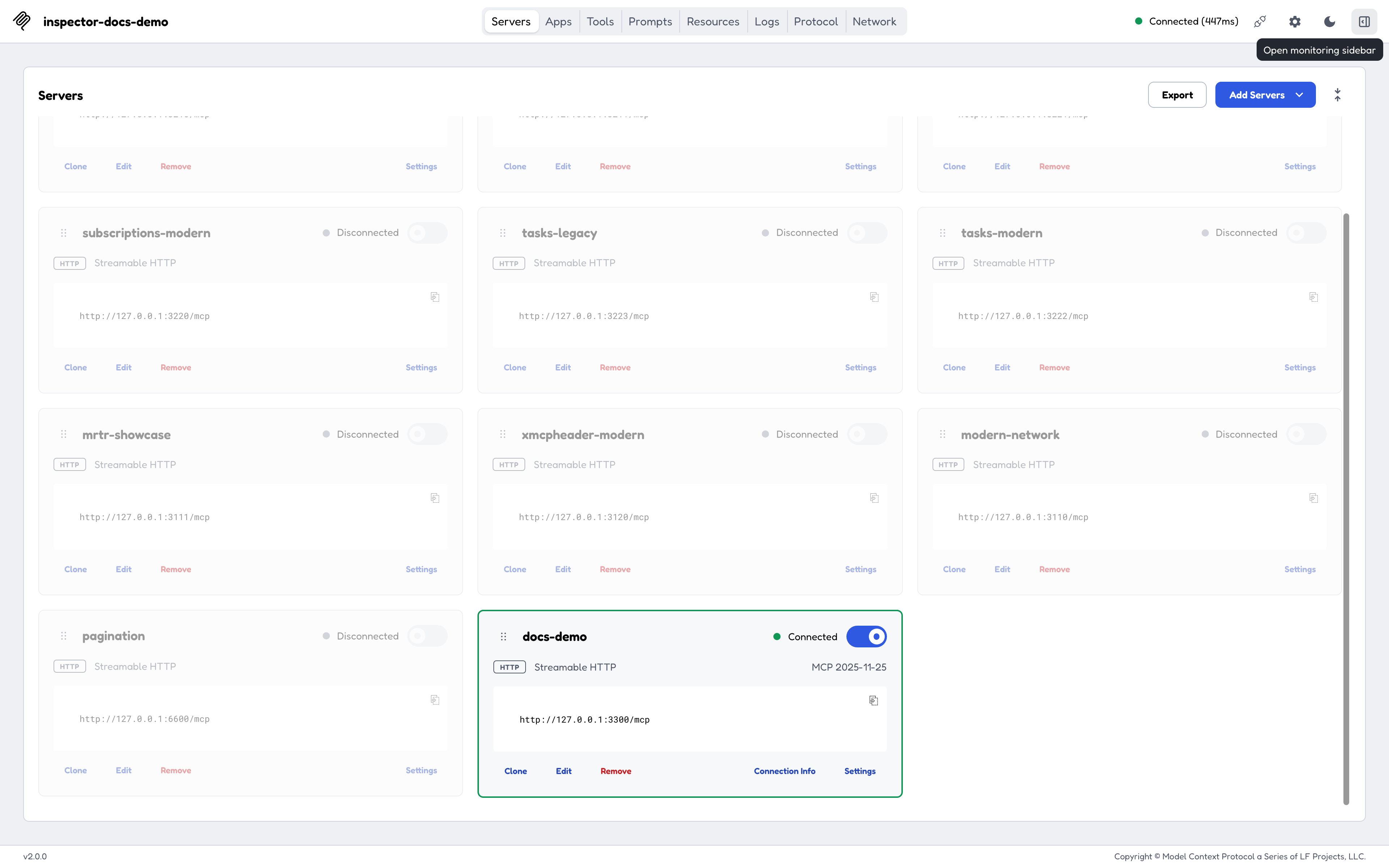
The tab bar
| Tab | Shown when | What it does |
|---|---|---|
| Servers | Always | The server list: add, edit, import, connect, and open per-server settings. |
| Apps | The server exposes MCP App tools | Renders a tool’s UI in a sandboxed frame. |
| Tools | tools capability | Browse schemas, fill arguments, call, inspect results. |
| Prompts | prompts capability | List prompts, supply arguments, preview generated messages. |
| Resources | resources capability | Browse, read, and subscribe to resources. |
| Tasks | capabilities.tasks (legacy era) or the tasks extension (modern era) | Track long-running tool calls. |
| Logs | logging capability | Server notifications/message output, plus the era-appropriate level control. |
| Protocol | Always | The JSON-RPC transcript: requests, responses, notifications. |
| Network | HTTP / SSE servers | The raw HTTP view: status, headers, bodies. |
| Console | stdio servers | The server process’s stderr. |
Network and Console never appear together. Legacy and modern eras are described in Protocol eras.
The monitoring sidebar
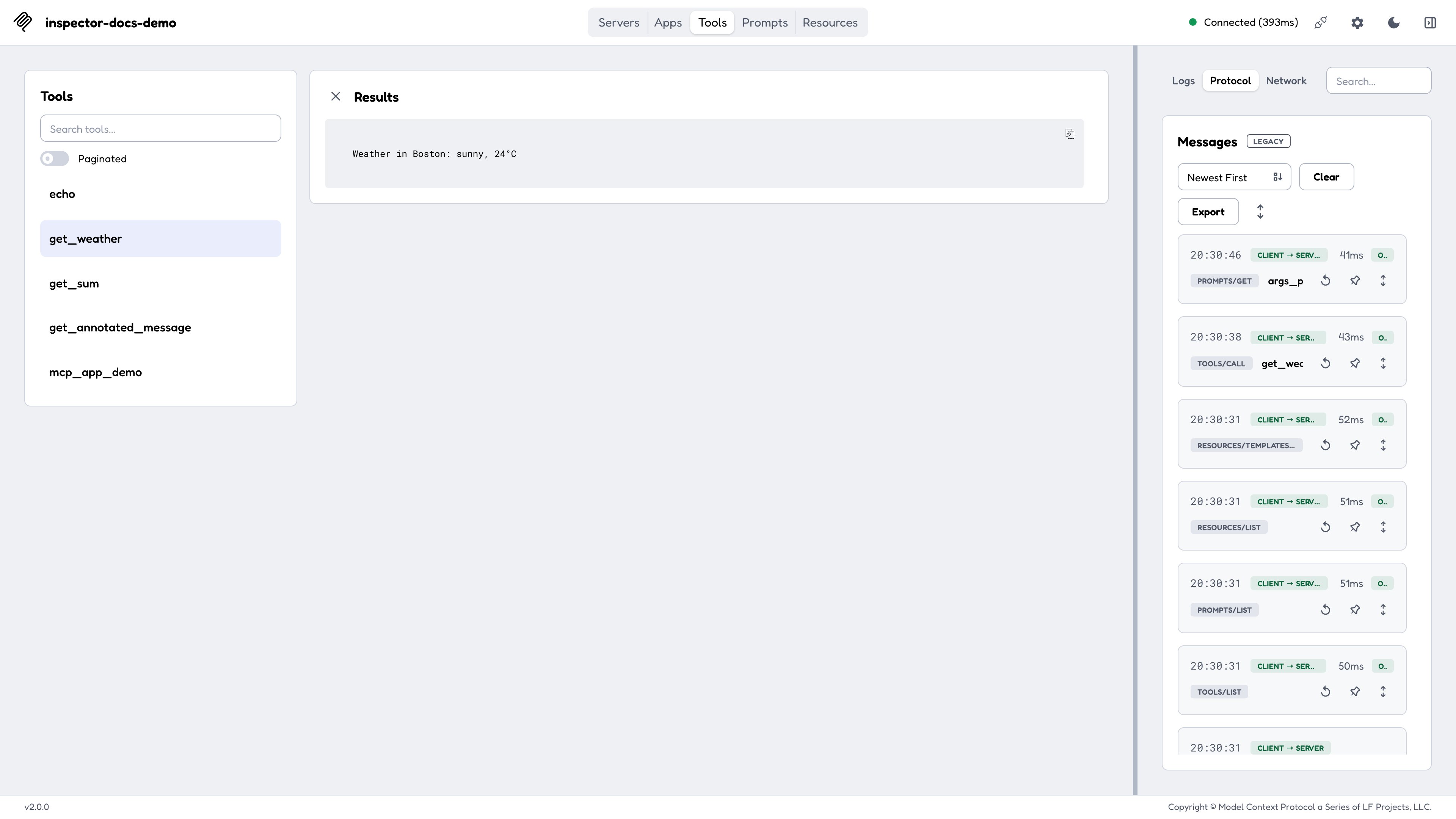
Tasks, Logs, Protocol, Network, and Console form a monitor group. Pin the group and they leave the tab bar and move into a resizable right-hand column, so you can watch traffic while working in Tools or Resources. The column width and the selected monitor tab persist across reloads.
Servers
The Servers screen is the entry point. A server row carries its transport, its connection state, and a control that opens its per-server settings.
Where that list comes from, and whether it’s editable, depends on how you launched:
| Launch | Server list | Editable? |
|---|---|---|
mcp-inspector --web | The default catalog ~/.mcp-inspector/mcp.json, seeded on first launch | Yes |
--catalog <path> | That file, seeded with the sample servers if missing | Yes |
--config <path> | That file, read-only (never written or seeded) | No |
--server-url <url> or a positional command | One ad-hoc server, held in memory | No |
On a first launch the web client seeds the catalog with two sample servers: a filesystem server scoped to /tmp and the canonical “everything” reference server. See Configuration and flags for the full rules, including why the CLI and TUI seed an empty catalog instead.
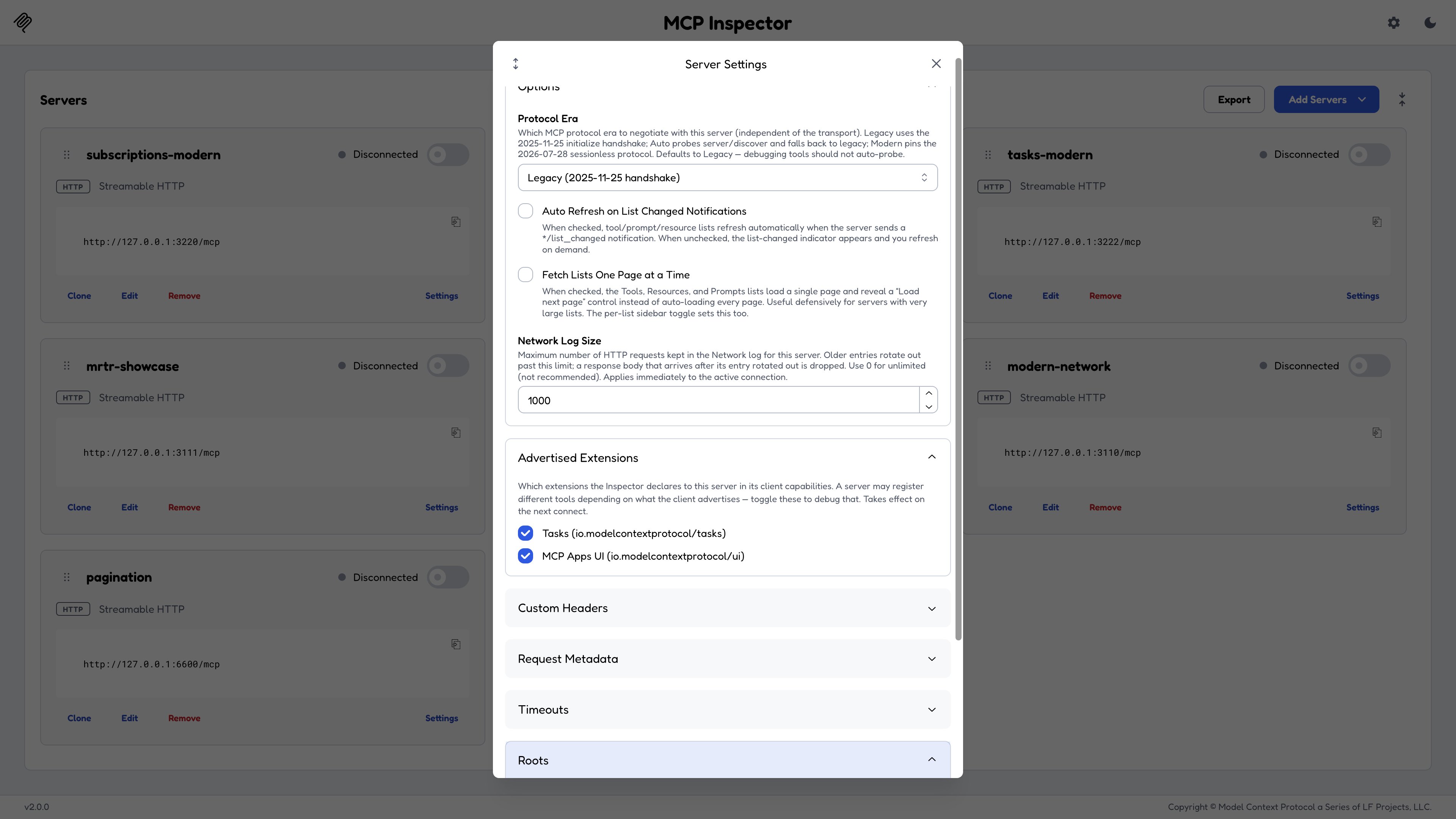
Server Settings
- Protocol Era:
legacy/auto/modern. See Protocol eras. - Log level per request: the level a modern-era connection stamps on each outgoing request by default, or
offto opt out (see Logging). - Advertised Extensions: which extensions the Inspector declares in
capabilities.extensions. A debugging knob: a server may legitimately change what it registers based on what you advertise. Uncheck the Tasks extension and reconnect against thetest-servers/configs/advertised-extensions-http.jsonfixture (setup in Reproducing each era locally) to watch a tool disappear. - Roots: the roots advertised via the
rootsclient capability.@modelcontextprotocol/server-filesystem, for instance, callsroots/listto learn its allowed directories. - Headers, timeouts, and OAuth fields.
- Fetch lists one page at a time: when off, list results are auto-aggregated across pages on connect; when on, each list loads page 1 only with a Load next page control and an N pages loaded status. Reproduce with
test-servers/configs/pagination-http.json, which paginates 12 tools, resources, and prompts into three pages each.
Tools
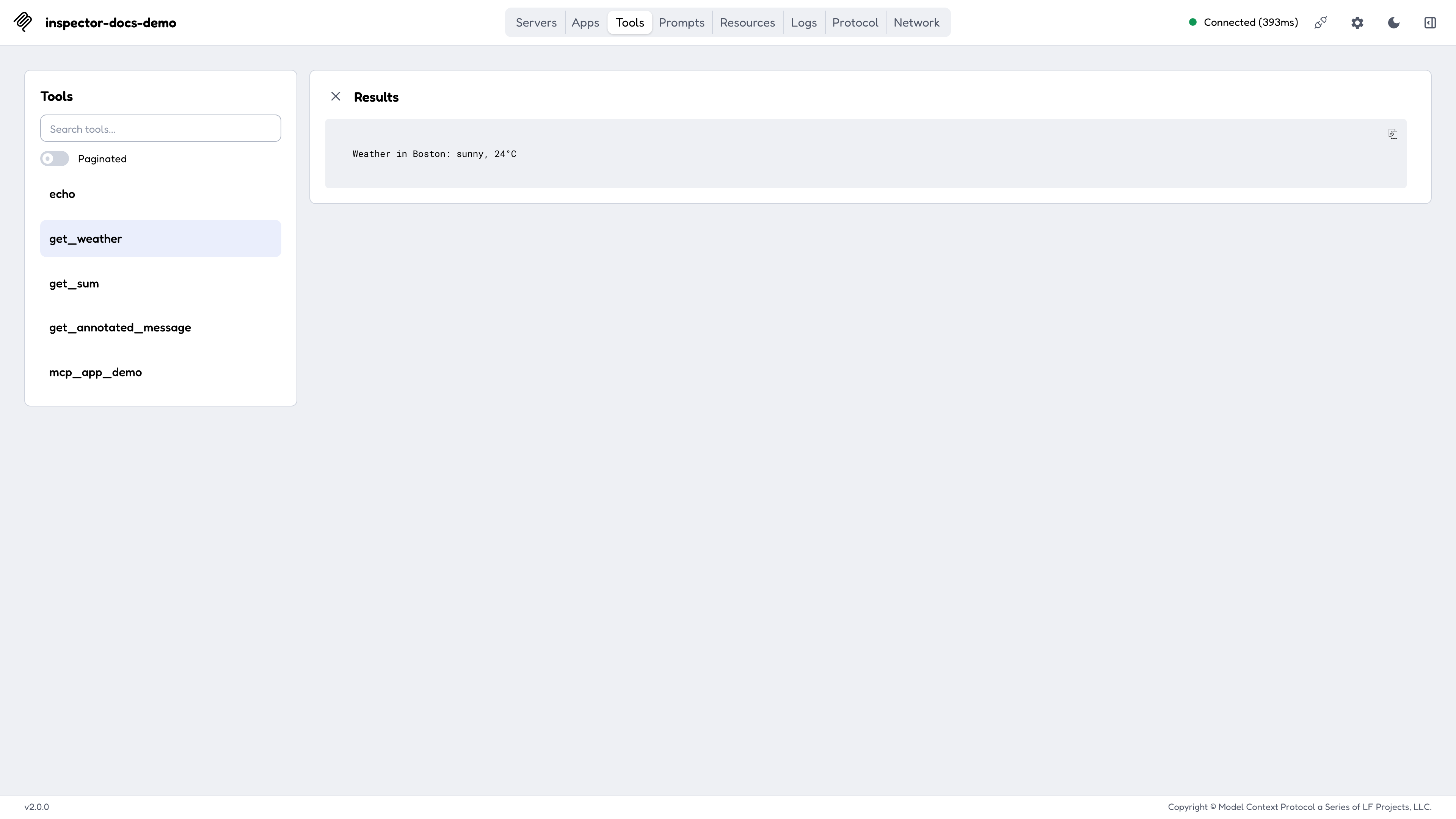
Select a tool to see its description, its input schema rendered as a form, and its annotations. Fill the form and call it; the result renders below with structured content, embedded resources, and images handled natively.
On modern-era servers this screen also shows mirrored Mcp-Param-* headers, excluded tools, and distinct -32602 error panels, all covered in Protocol eras.
Resources
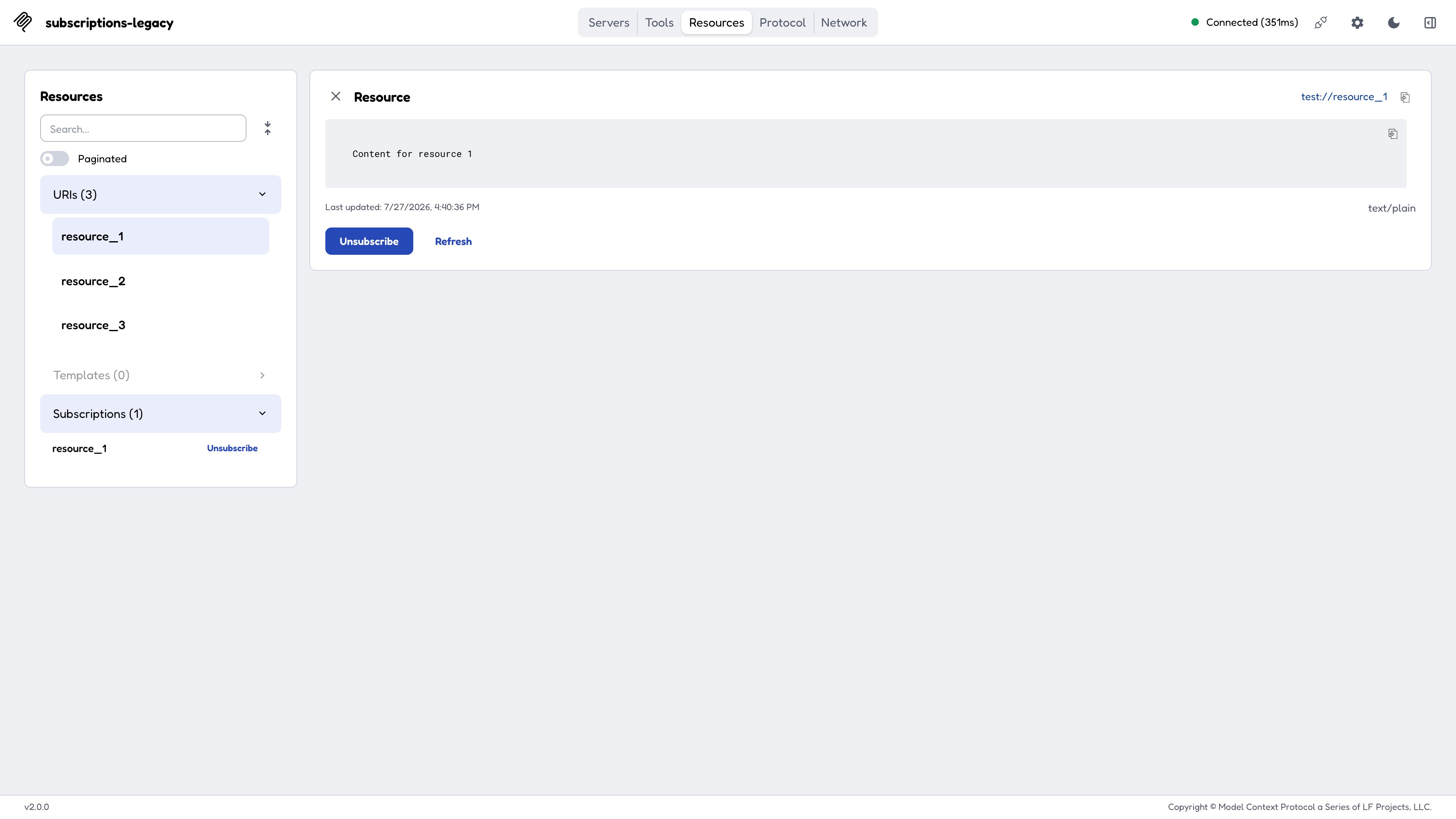
Lists resources and resource templates with their MIME types and descriptions, reads content on selection, and offers Subscribe on servers that support subscriptions. The subscription mechanics differ by era; see Resource subscriptions.
Prompts
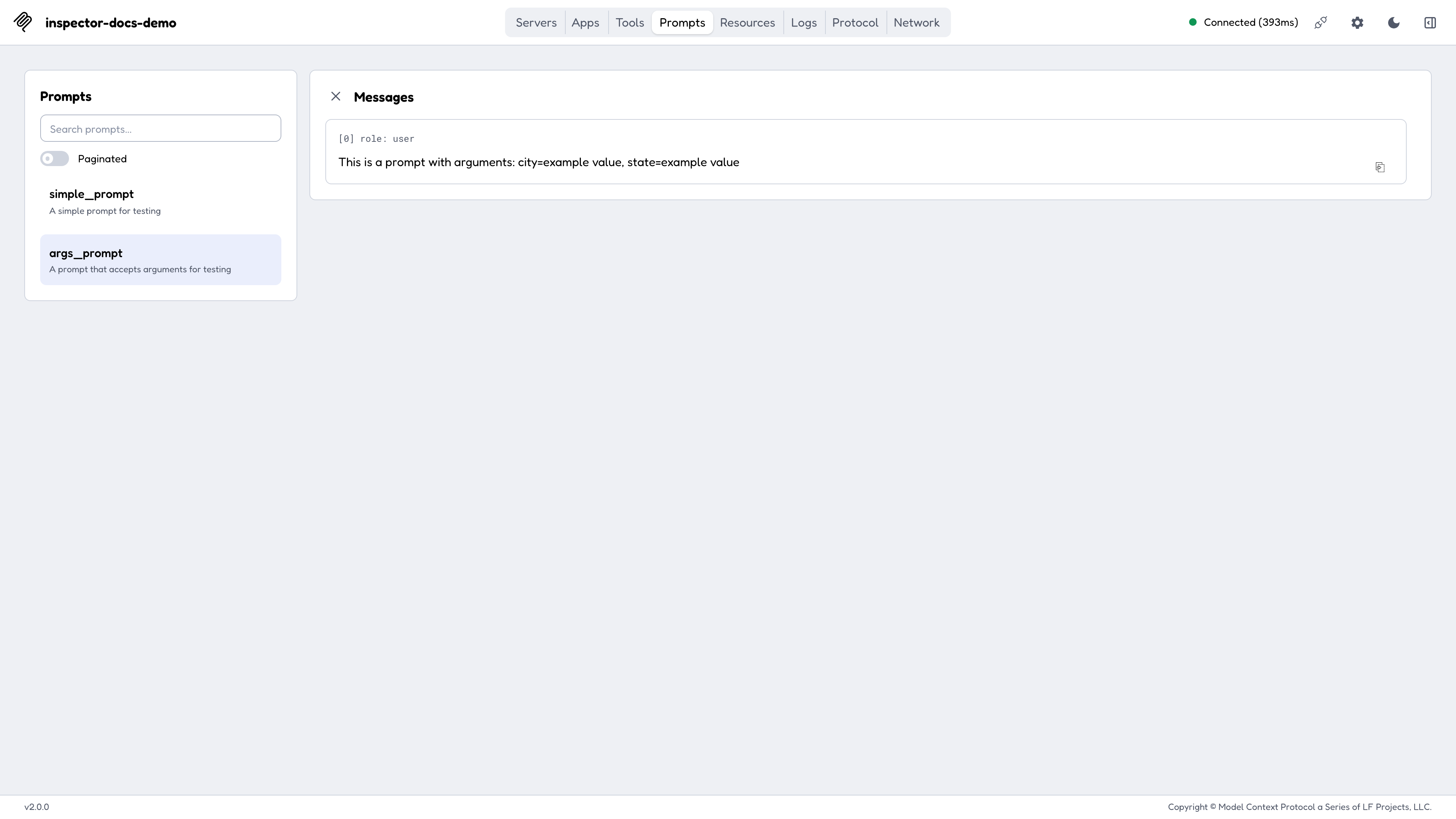
Lists prompt templates with their arguments, and renders the generated messages for the arguments you supply, which is the fastest way to confirm a prompt produces what you intended.
Apps
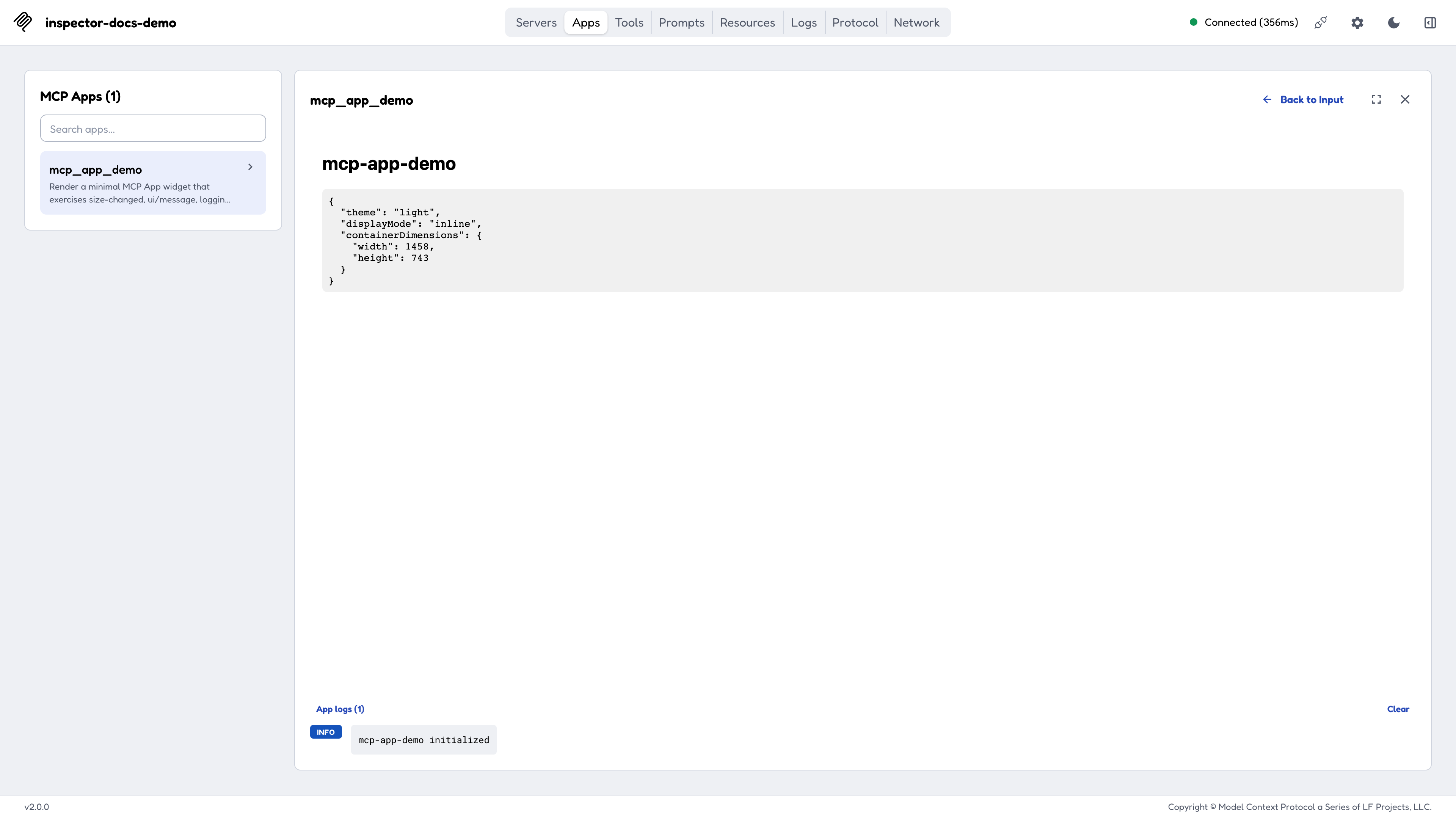
MCP Apps are tools that carry UI. The Apps tab renders one in a sandboxed iframe served from a separate port, exercises the ui/* bridge, and shows the view’s ui/message submissions and its notifications/message logs in side panels.
- The sandbox port is dynamic by default; pin it with
MCP_SANDBOX_PORTif you need to expose or forward it. - The sandbox is gated by a
frame-ancestorsCSP, and a bracketed IPv6 literal is not a valid CSP host-source, so browse the Inspector atlocalhost,127.0.0.1, a hostname, or a LAN IPv4, not at a barehttp://[::1]:.... - The sandbox URL is always plain
http, so anhttps://Inspector page blocks the frame as mixed content. MCP Apps need a plain-httporigin today.
See Recipes for the CLI-first automated review flow.
Protocol, Network, and Console
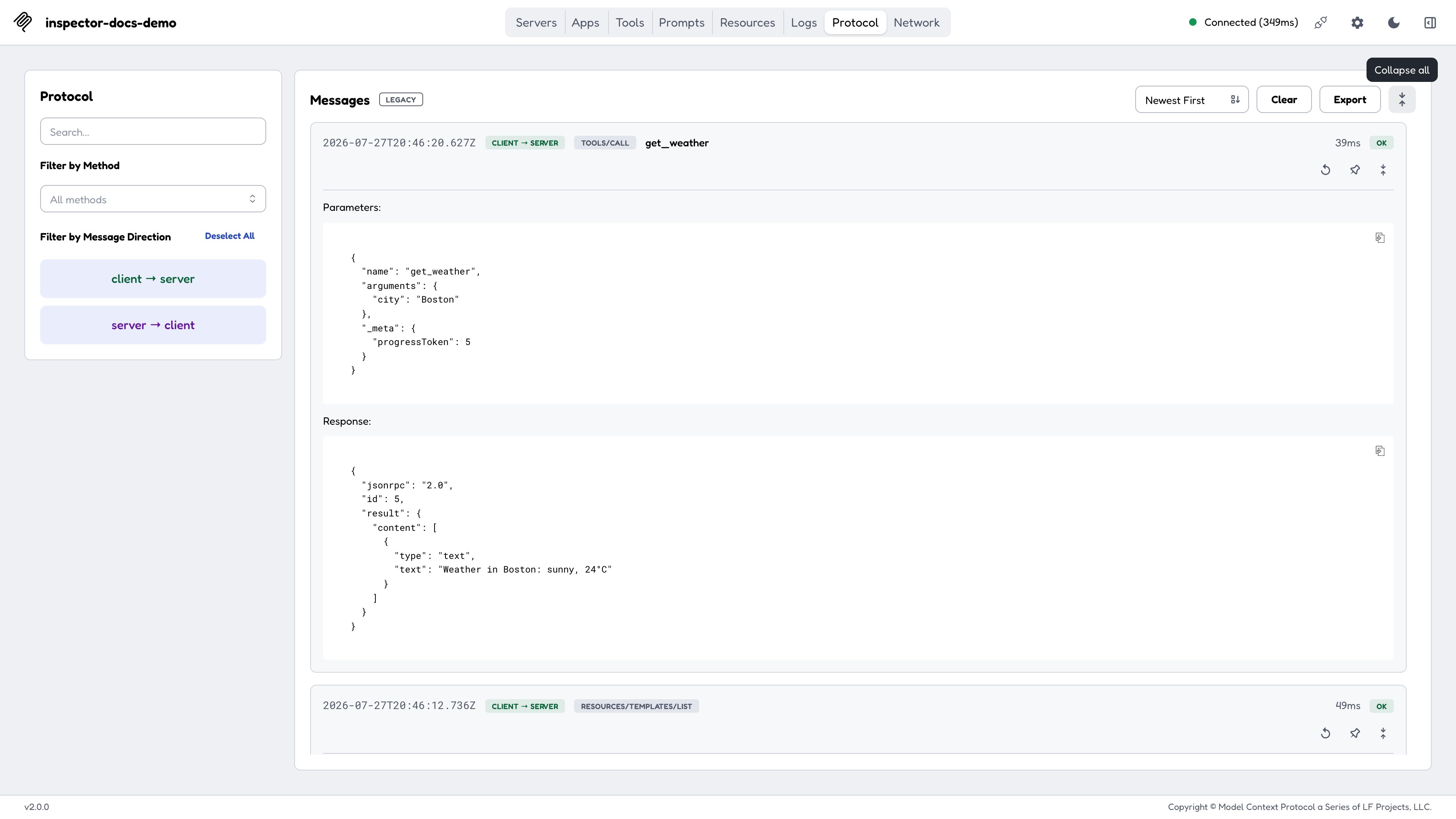
The three tabs show the same traffic at different levels of detail:
- Protocol: the JSON-RPC transcript. Requests paired with responses, notifications inline, MRTR rounds grouped as one conversation, and spec errors rendered by class.
- Network: the HTTP layer, for SSE and Streamable HTTP servers. Status codes, request and response headers, and bodies. On modern connections the standardized
Mcp-*headers are highlighted and sentinel values decoded. - Console: the connected stdio server process’s
stderr, which is where most stdio servers put their own diagnostics.
Secrets are masked in these views, and entries can be cleared or exported.
Deep links
A driver (a script, a CI harness, or the CLI’s --print-handoff) can reach a connected Inspector with a single navigation:
http://127.0.0.1:6274/?serverUrl=<url>&transport=http|sse&autoConnect=<token>| Parameter | Meaning |
|---|---|
serverUrl | The MCP server URL. Restricted to http: / https:; a crafted javascript: or file: value is rejected. |
transport | http (default) or sse. |
autoConnect | Required CSRF gate. Must equal the per-launch session token, which only whatever started the server knows. |
Three further parameters land you on a rendered app: openApp=<toolName> names the tool, appArgs=<base64url(JSON)> supplies its arguments (merged over the tool’s schema defaults), and autoOpen=<token> fires the tool call automatically. Because autoOpen fires a call, it carries the same mandatory token gate as autoConnect.
Host binding and origins
By default the Inspector binds localhost and accepts requests only from the loopback origins for its port. Treat both defaults as security boundaries, since the backend spawns processes on your machine.
Binding all interfaces (HOST=0.0.0.0) is refused unless you set DANGEROUSLY_BIND_ALL_INTERFACES=true. Binding a specific non-loopback address is allowed with no opt-in, since that’s a single deliberate exposure rather than every interface at once.
See the Hosting on a network recipe for the full matrix, and Configuration for the variables.
Last updated Oct 08, 2026