Documentation Index
Fetch the complete documentation index at: https://modelcontextprotocol.io/llms.txt Use this file to discover all available pages before exploring further.
Recipes
Practical guides for transports, importing configs, reviewing MCP Apps, Docker, and network hosting
Connecting stdio vs. HTTP servers
stdio
A stdio server is a process the Inspector spawns. Everything positional is the command line:
mcp-inspector node build/index.js -- --verbose --config /etc/myserver.confPut -- before any arguments meant for your server. Without the separator, --verbose would be
parsed by the Inspector and never reach the server.
Give the process environment variables with -e and a working directory with --cwd:
mcp-inspector -e API_KEY=abc123 -e REGION=us-east-1 --cwd ~/projects/my-server \
  node build/index.js
The server’s stderr lands in the Console tab (web) or the Console tab (o, TUI), which is where most stdio servers put their diagnostics, so check there first when a connection fails for no visible reason.
HTTP and SSE
mcp-inspector --server-url https://api.example.com/mcp --transport http \
  --header "X-Tenant: acme"
--transport accepts http (Streamable HTTP) and sse. If the server is protected, see Authorization: no setup is needed in advance, because when the server answers 401 the Inspector runs the OAuth flow described there and retries the connection.
For an HTTP server, also decide its protocol era. The default is legacy; set modern or auto in Server Settings (or protocolEra in the catalog file) to exercise the 2026-07-28 behavior.
Importing an existing client config
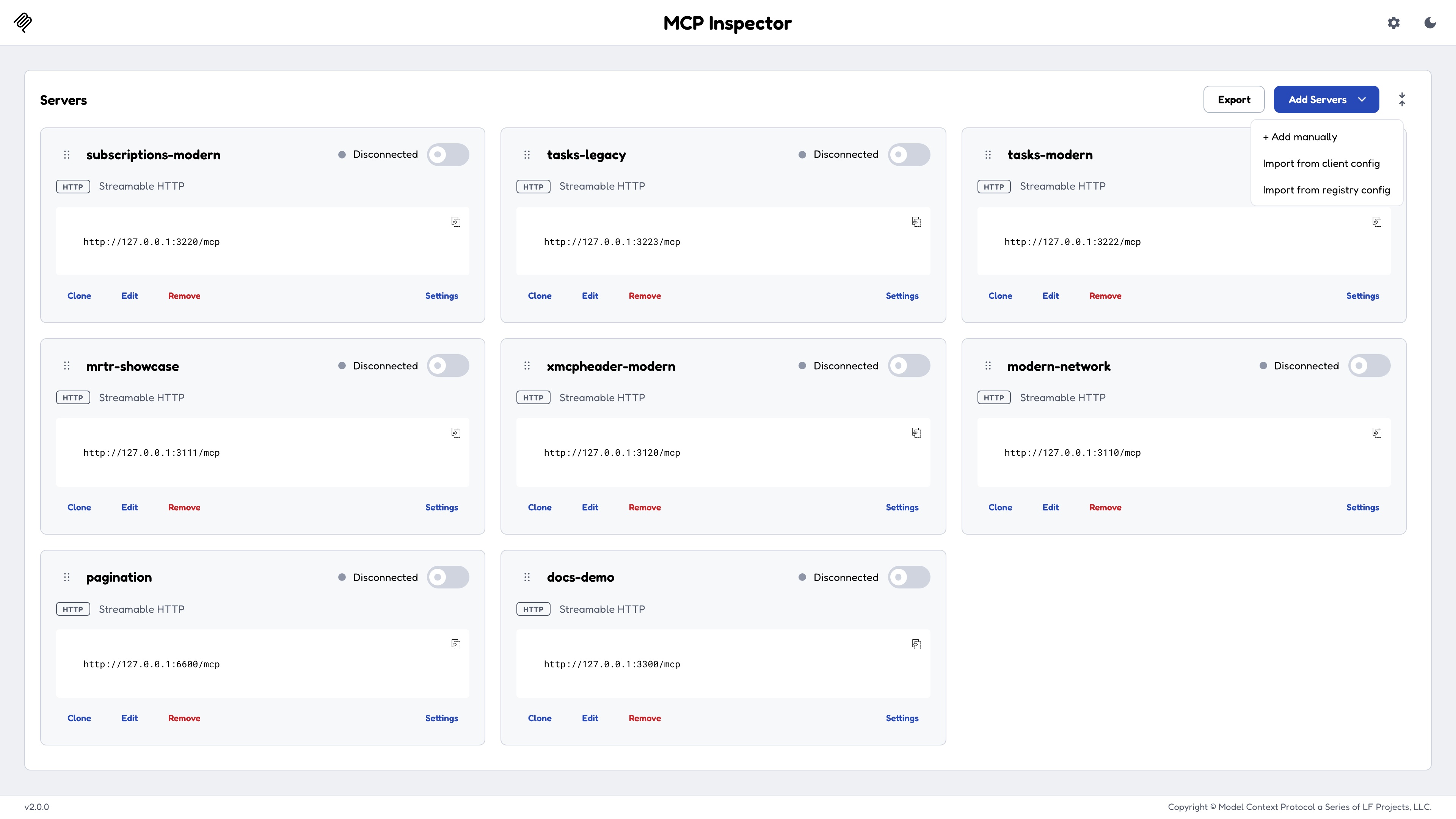
On the Servers screen, Add Servers can import MCP servers you have already configured
elsewhere instead of retyping them. It parses Claude Desktop, Cursor, Cline, and VS Code client
configs directly, and it also reads a server’s own MCP Registry server.json.
Import merges into the active catalog (the Inspector’s writable server list), so existing entries aren’t clobbered. If you’d rather not touch your catalog at all, launch against the foreign file read-only instead:
mcp-inspector --config ~/Library/Application\ Support/Claude/claude_desktop_config.json--config guarantees the file is served as-is and never written, seeded, or migrated.
Reviewing an MCP App
MCP Apps are tools that carry a UI widget. For an automated reviewer (CI or an agent), use the CLI for every check that returns JSON, and open a browser only to inspect the rendered widget.
<Steps>
bash theme={null} mcp-inspector --cli --transport http --server-url https://example.com/mcp \ --method tools/call --tool-name <tool> --app-info
One JSON line on stdout; exit `0` if the tool has an app, `2` if not, so an `&&` chain short-circuits:

```json theme={null}
{
  "hasApp": true,
  "toolName": "get_pros",
  "resourceUri": "ui://pros/view.html",
  "csp": { "connectDomains": ["https://api.example.com"] },
  "permissions": { "clipboard": false },
  "prefersBorder": true,
  "resourceMimeType": "text/html"
}
```

`csp` and `permissions` (and `domain`, when the resource declares one) live on the UI **resource** rather than the tool, so `--app-info` reads that resource. The tool is never called.Pinning `MCP_SANDBOX_PORT` matters here: the app's UI is served from a separate sandbox port that is dynamic by default, and your automation needs a fixed address to reach it.`appArgs` is the tool's arguments as base64url-encoded JSON, and every deep-link parameter is described under [Deep links](https://modelcontextprotocol.io/docs/draft/tools/inspector/web#deep-links). `autoConnect` and `autoOpen` must both equal the session token, since `autoOpen` fires a tool call straight from the URL and needs the same gate as `autoConnect`.| Selector | Attribute | Values |
| ----------------------------------- | ----------------- | ------------------------------------------------------------------------------------------------------- |
| `[data-testid="apps-form"]` | `data-app-status` | `ready` (on failure, `data-app-error` carries the reason) |
| `[data-testid="connection-status"]` | `data-status` | `connecting`, then `connected` or `error` (`data-error-message` has the detail) |
| `[data-testid="connection-status"]` | `data-deeplink` | `parsed`, `rejected`, or `none` (`none` means no deep link was given, `rejected` means one was refused) |Docker
A container image is published to GitHub Container Registry for linux/amd64 and linux/arm64:
docker run --rm -p 6274:6274 ghcr.io/modelcontextprotocol/inspectorRead the session token from the container logs, or pin it with -e MCP_INSPECTOR_API_TOKEN=<value>.
The image defaults to --web, bound to 0.0.0.0:6274 with browser auto-open off, and runs as a non-root user. It sets DANGEROUSLY_BIND_ALL_INTERFACES=true because a container must bind the wildcard address to be reachable through -p.
Its HEALTHCHECK probes the web UI, so add --no-healthcheck when running --cli or --tui (neither has a web server). <target> below is an ad-hoc target: a positional stdio command, or --server-url \<url\> --transport http.
docker run --rm --no-healthcheck ghcr.io/modelcontextprotocol/inspector --cli <target> --method tools/list<Warning>
If you remap the published port, set ALLOWED_ORIGINS. With -p 8080:6274 the browser’s origin becomes http://localhost:8080, which no
longer matches the in-container port, and connects will 403. Either run -e CLIENT_PORT=8080 -p 8080:8080, or set -e ALLOWED_ORIGINS=http://localhost:8080,http://127.0.0.1:8080.
Hosting on a network
The Inspector binds localhost by default and its backend spawns processes, so treat exposing it to a network as a deliberate decision.
The Inspector refuses to bind the wildcard all-interfaces addresses (0.0.0.0, ::, and every equivalent spelling) unless you set DANGEROUSLY_BIND_ALL_INTERFACES=true. Binding a specific address is allowed with no opt-in, because that’s one deliberate exposure rather than every interface at once, which is the shape DNS-rebinding attacks target.
| Goal | What to do |
|---|---|
| Reach it from another machine on the LAN | HOST=192.168.1.50. The default origin allow-list follows the bind host, so http://192.168.1.50:6274 is accepted with no further config. |
| Behind TLS or a reverse proxy | The browser’s Origin becomes the public origin, which won’t match the bind host. Set ALLOWED_ORIGINS=https://inspector.example.com. |
| Wildcard bind (containers) | Set DANGEROUSLY_BIND_ALL_INTERFACES=true. Loopback access still works out of the box; reaching it at a non-loopback address needs ALLOWED_ORIGINS. |
<Warning>
ALLOWED_ORIGINS replaces the default list rather than merging with it. List every origin you’ll browse from, including the loopback forms you want to keep:
ALLOWED_ORIGINS=http://localhost:6274,http://127.0.0.1:6274,http://192.168.1.50:6274Each entry must include the scheme; a scheme-less value is dropped with a warning. A blank value does not disable the check; it falls back to the default. There is no knob to turn origin validation off.
Two further caveats when going off loopback:
- MCP Apps need their sandbox port reachable too. It’s a separate, dynamic-by-default port; pin it with
MCP_SANDBOX_PORTand expose or forward it. The Docker image publishes only6274. - MCP Apps can’t render over TLS or at a bare IPv6 literal. The sandbox URL is always plain
http, so anhttps://page blocks the iframe as mixed content; and a bracketed IPv6 literal isn’t a valid CSP host-source, so browse at a name or an IPv4 address.
Whatever the shape: keep authentication on. Do not set DANGEROUSLY_OMIT_AUTH on anything reachable by anyone but you.
Development workflow
A loop that works well in practice:
<Steps>
--method initialize confirms the server starts, handshakes, and reports
the capabilities you expect, in one second, with a machine-readable answer.
Most “it doesn’t work” turns out to be here.
Last updated Oct 08, 2026